TermSplit brings terminals, commands and coding agents into a workspace for each project. Save your layout, launch commands with a click, and switch projects without rebuilding your setup each time.
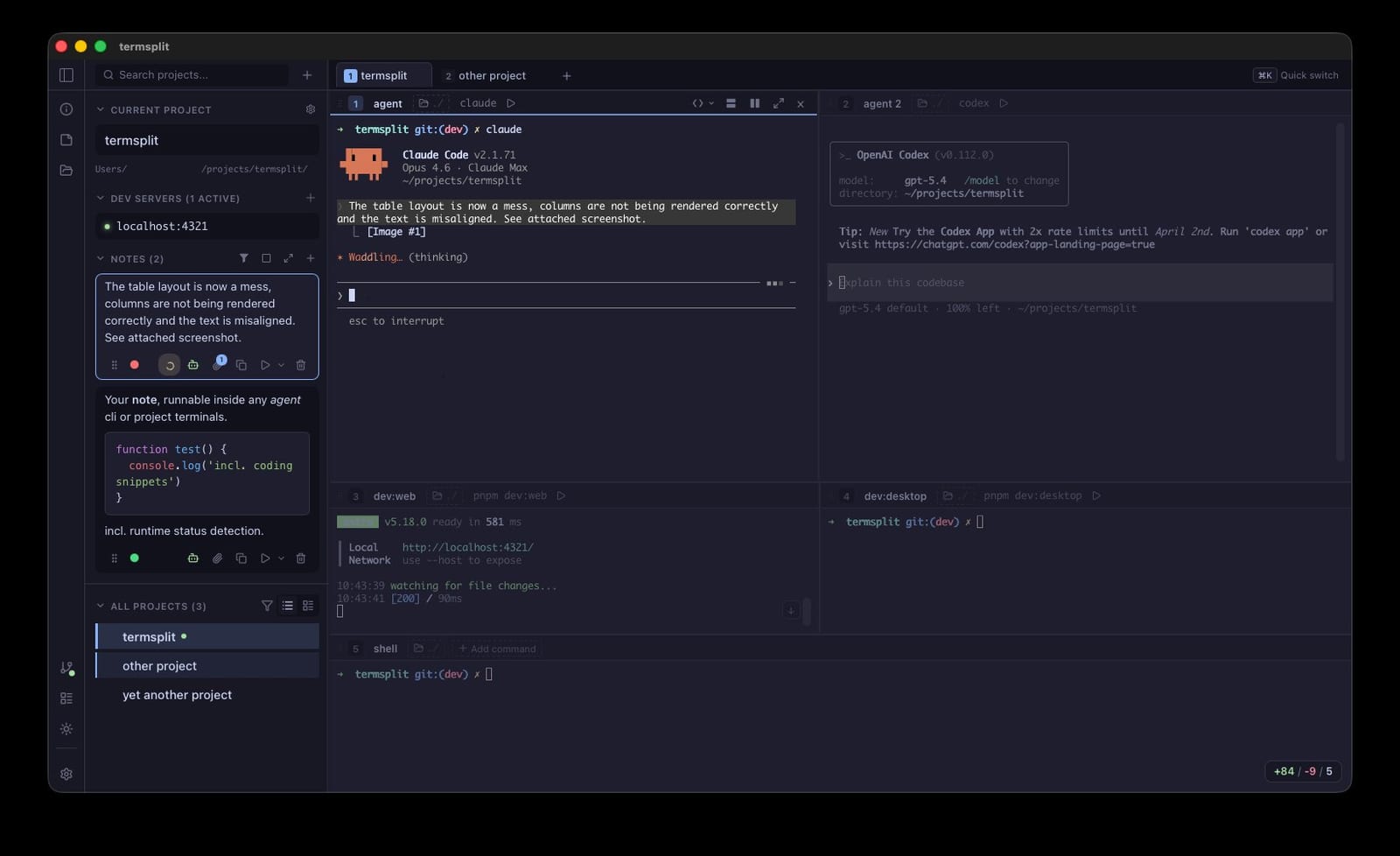
- Project Workspaces
- Each project gets its own saved workspace with custom pane layouts, commands, and working directories. Organize projects into color-coded groups.
- One-Click Launch
- Open a project and all panes launch automatically with pre-configured commands — dev server, test watcher, coding agents, everything at once.
- Agent Agnostic
- Run Claude Code, Cursor, Codex or any AI coding agent side by side. Track active agents at a glance with built-in status indicators.
- Git Changes at a Glance
- See uncommitted changes, current branch, and repo status right in the sidebar — without leaving your terminal workflow.
- Multi-Window Support
- Open multiple TermSplit windows, each with its own project context. Perfect for multi-monitor setups.
- 460+ Built-in Themes
- Light and dark modes with community color schemes. The entire interface adapts to your chosen theme.